Suggest timeline additions
Turn a conversation into proposed symptoms, appointments, medicines, follow-ups, notes, and other events—ready for you to review.
Your personal health memory
Symptoms, medications, lab results, vaccines, and your family's health — organized in one place, with an AI assistant that knows the whole story when you have questions.
Designed for iPhone App Store launch coming soon
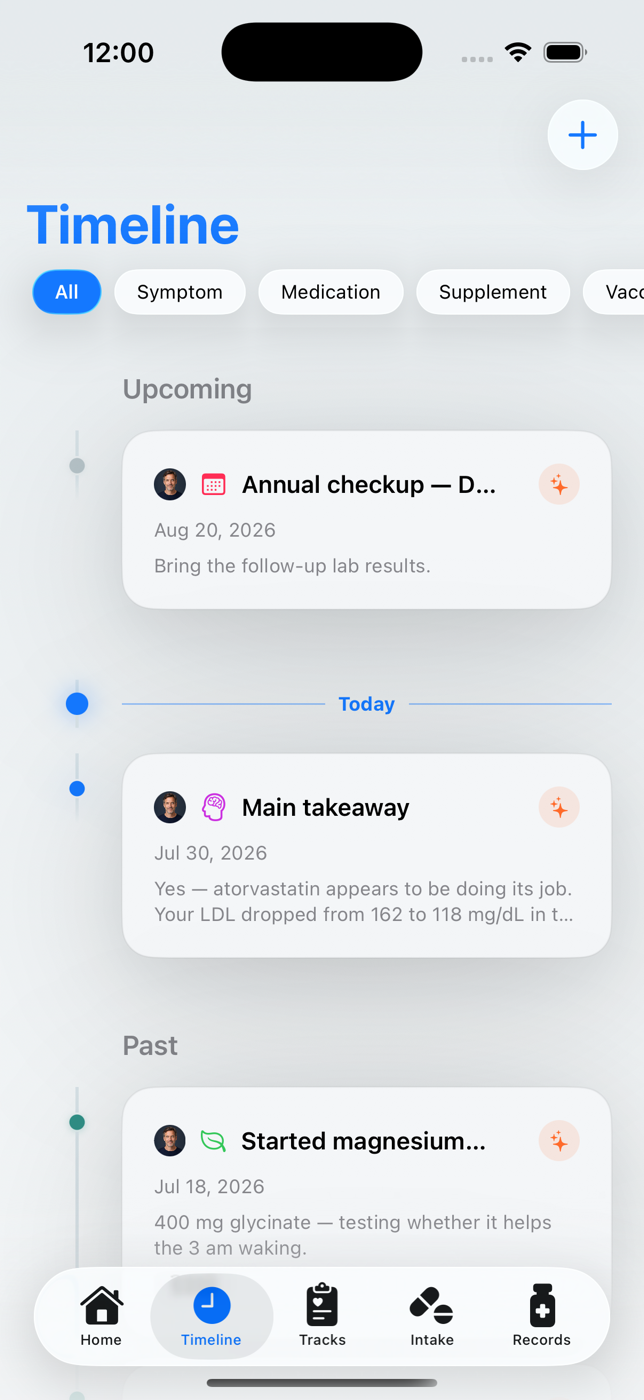
One place for
Context-aware health AI
HealthTimeline can use the information stored in the selected profile to connect patterns, suggest useful additions, and help you decide what to discuss with a healthcare professional.
The heart of HealthTimeline
The AI assistant works across the details you have chosen to store—so an answer can reflect changes over time, related tracks, lab history, medicines, recorded concerns, and relevant family conditions.
Turn a conversation into proposed symptoms, appointments, medicines, follow-ups, notes, and other events—ready for you to review.
Make ranges and trends easier to understand, connect results over time, and prepare questions worth asking at your next appointment.
Look across everything connected to a health track to surface patterns, changes, and practical things you may want to monitor.
Consider recorded problems, medicines, routines, personal history, and family conditions together instead of treating each detail in isolation.
AI is not medical advice. HealthTimeline does not diagnose or replace a clinician. It recommends involving a doctor for medical decisions and helps you arrive better prepared.
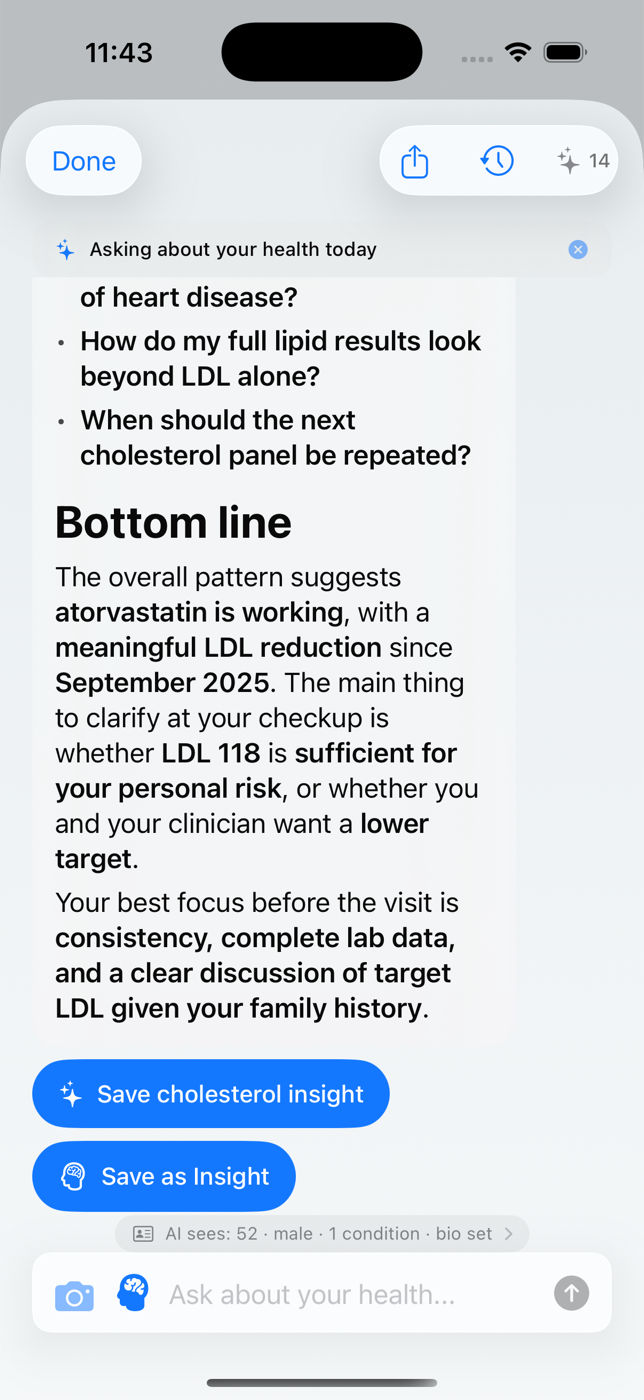
AI-assisted timeline
After a conversation, AI can suggest symptoms, appointments, medicines, follow-ups, notes, and other useful additions. You choose what belongs in your timeline.
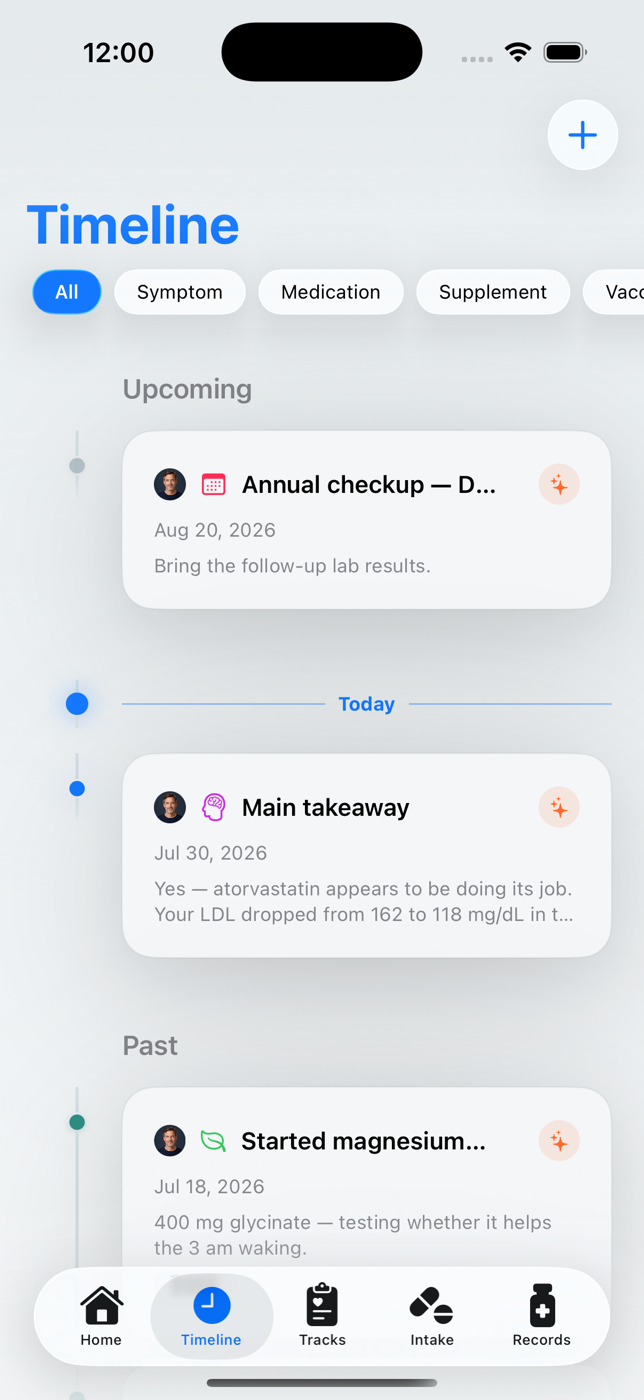
AI lab analysis
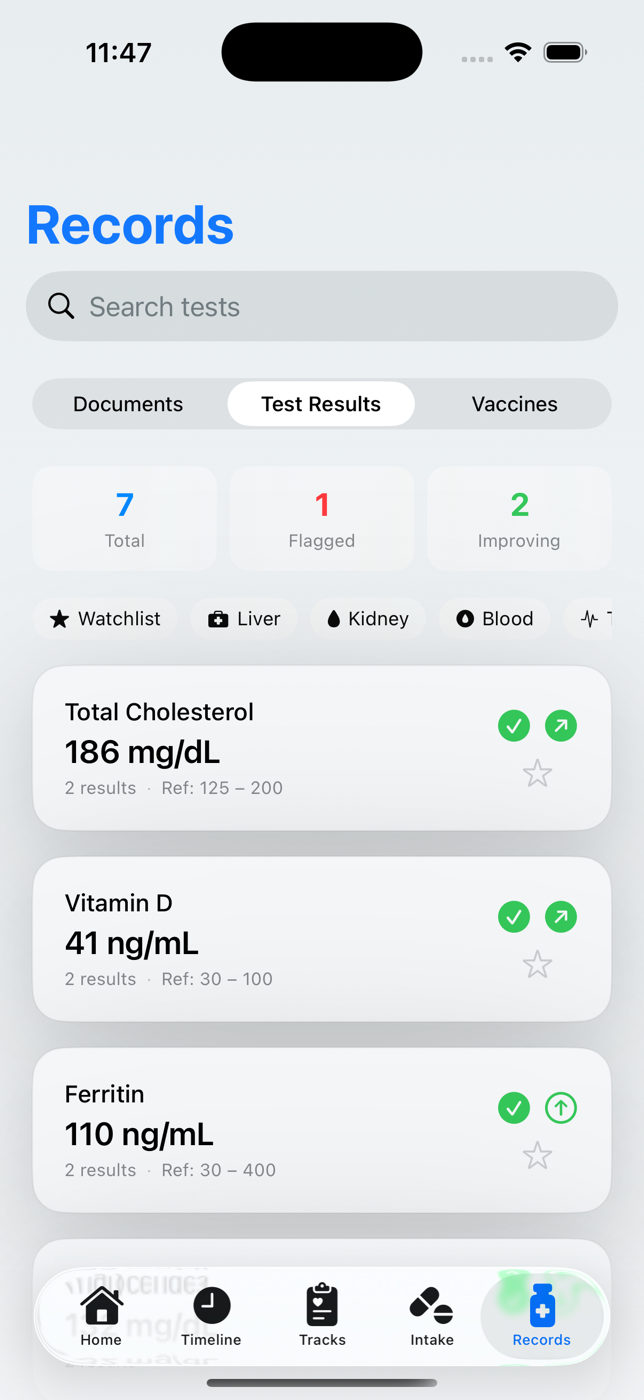
Import a lab report and it becomes structured, trended history. AI can explain results, compare them over time, connect them to your tracks — and help you prepare a doctor-ready summary to bring to your next appointment.
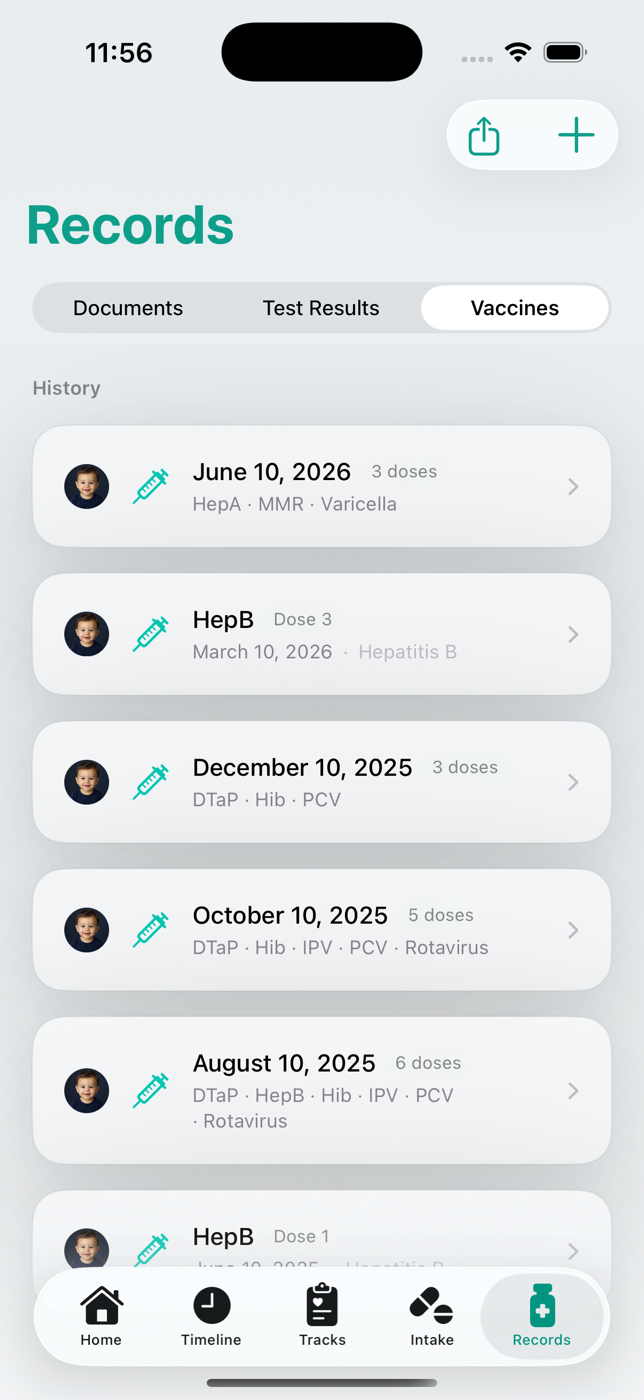
Vaccine control
National vaccination schedules built in — Norway, the US, and more. HealthTimeline tracks every dose for every family member, reminds you before the next one is due, and can read a paper vaccine card with AI so old records aren't lost.
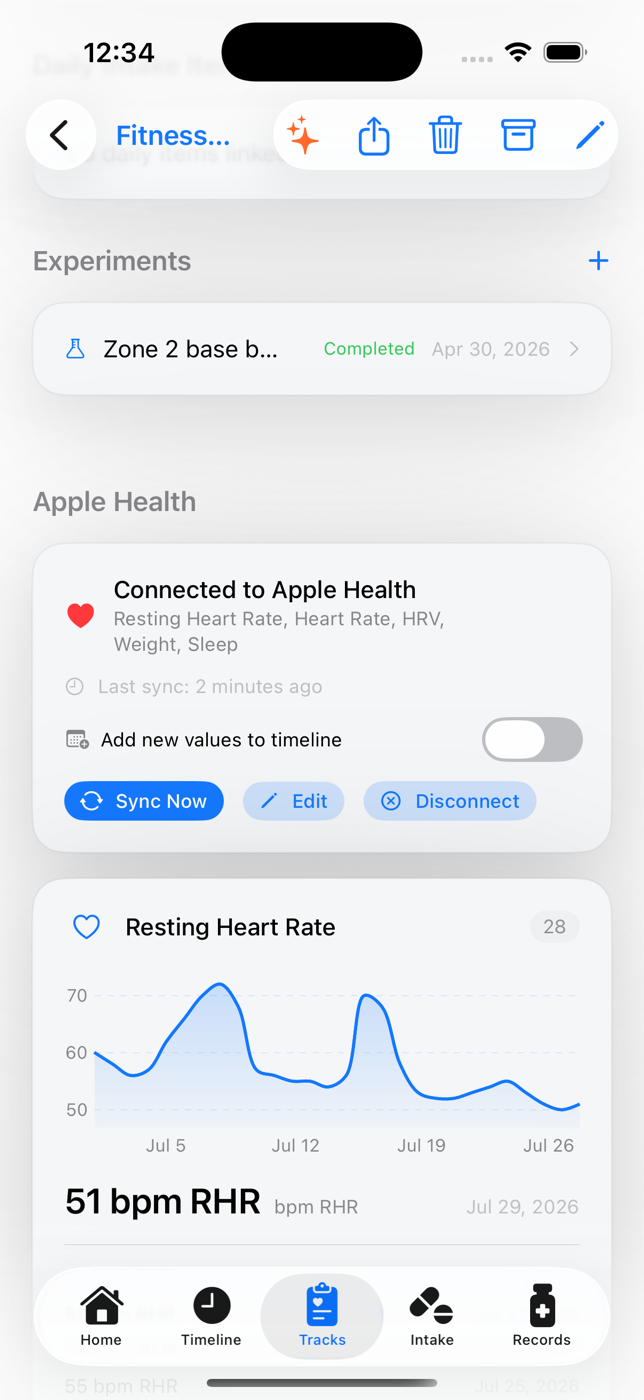
Apple Health
Connect a track to Apple Health and HealthTimeline pulls in resting heart rate, heart rate, HRV, sleep, weight and workouts — charted next to the medications, labs and experiments that might explain them. New values can post to your timeline automatically.

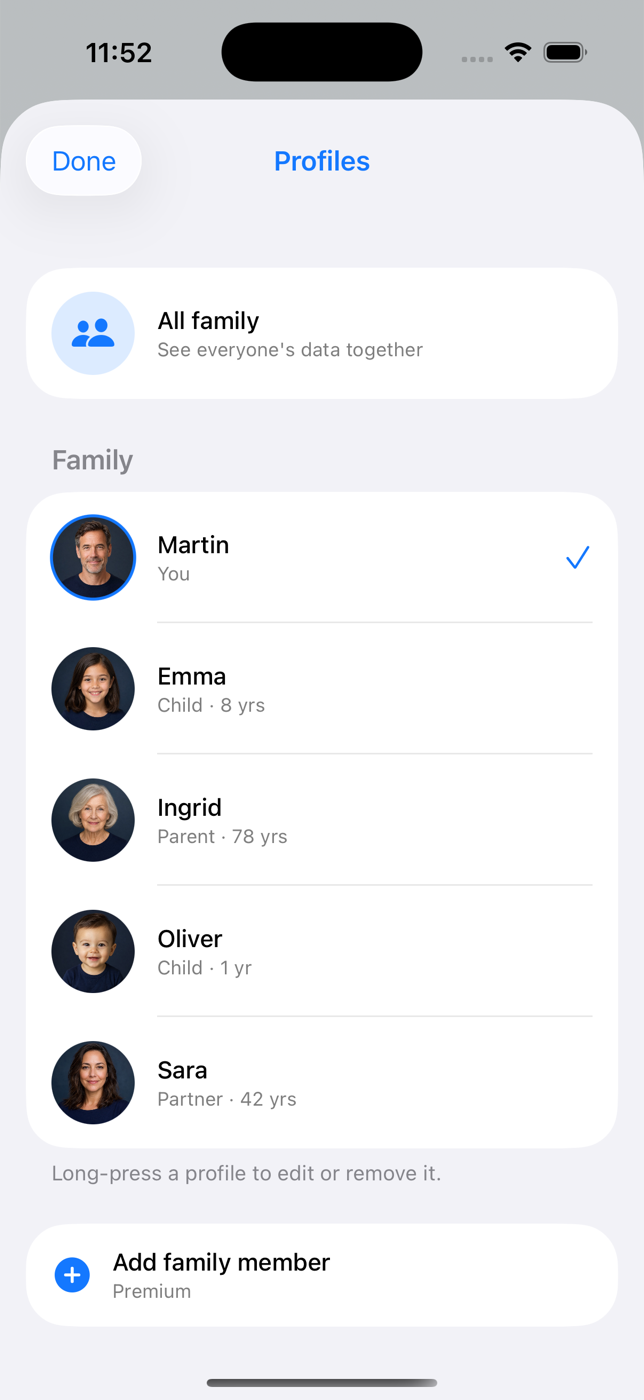
Family profiles
A profile for every family member — each with its own timeline, records, vaccine schedule, and color, so you always know whose data you're looking at. Switch in a tap, or see the whole family together.
Doctor-ready sharing
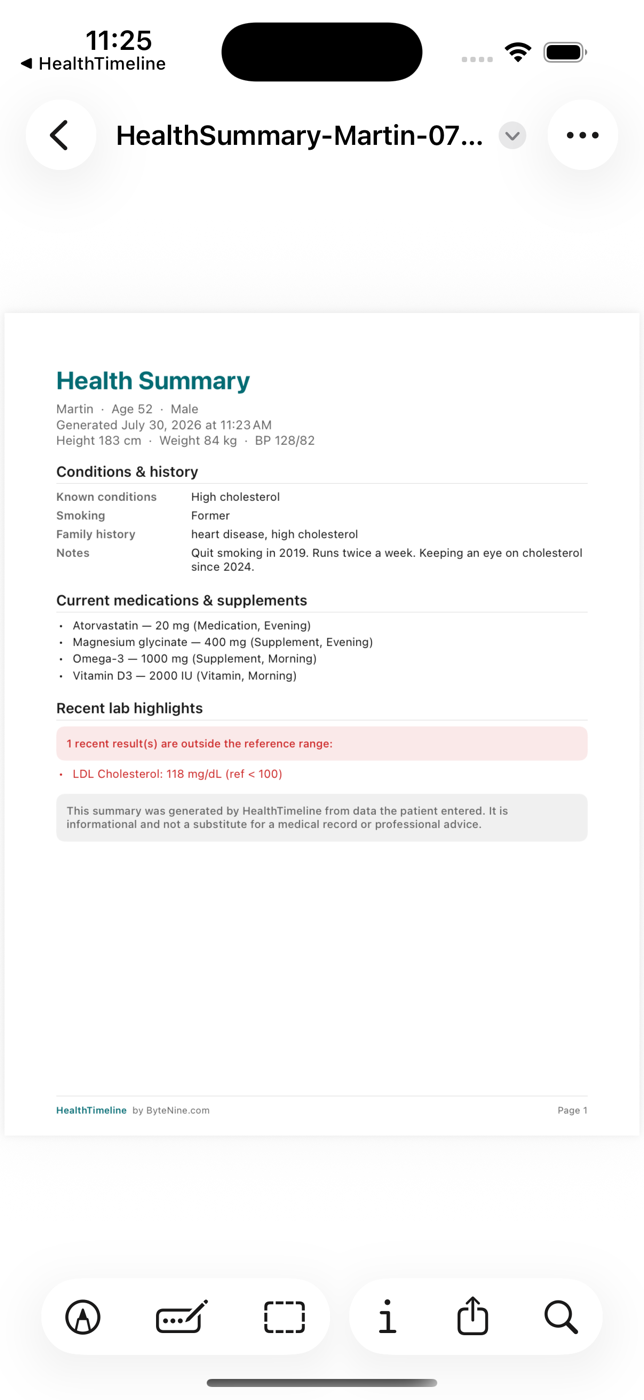
Export a clean PDF in seconds — a full health summary, a single track's history, or a doctor-friendly summary of an AI conversation. You choose the time range and what's included. Made to be read in a busy consultation.

A more useful conversation
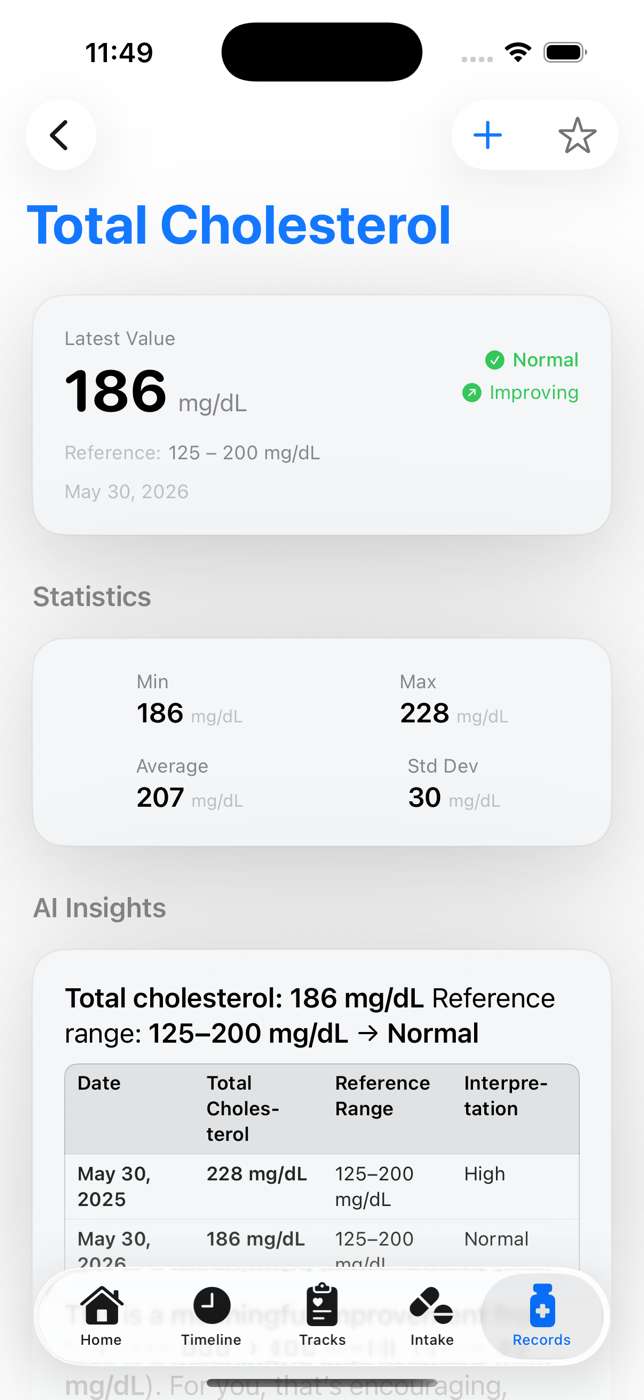
Talk to AI about a symptom, result, change, concern, or question in your own words.
HealthTimeline considers your health tracks and everything else stored in the selected profile—not just the latest message.
Get useful suggestions, save relevant details, and bring better-prepared questions — or a doctor-ready PDF — to your appointment.
The information behind the answer
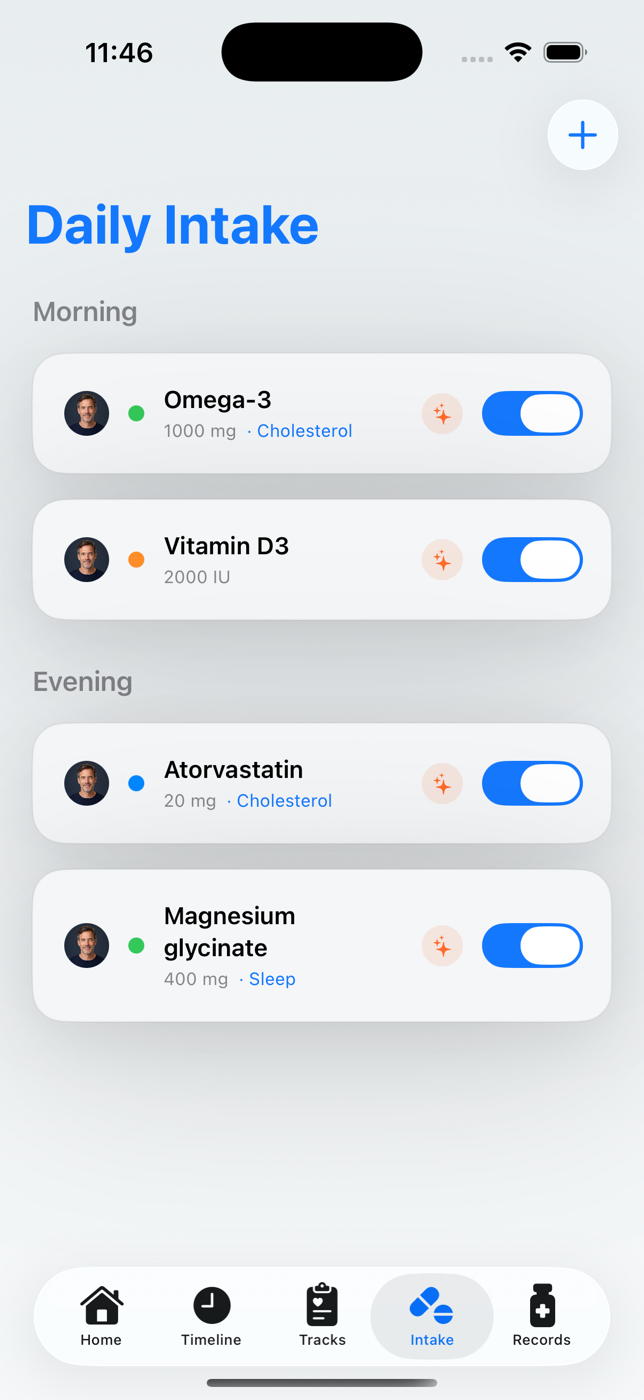
Daily intake
Keep medications and supplements organized by time of day, dosage, and health goal.
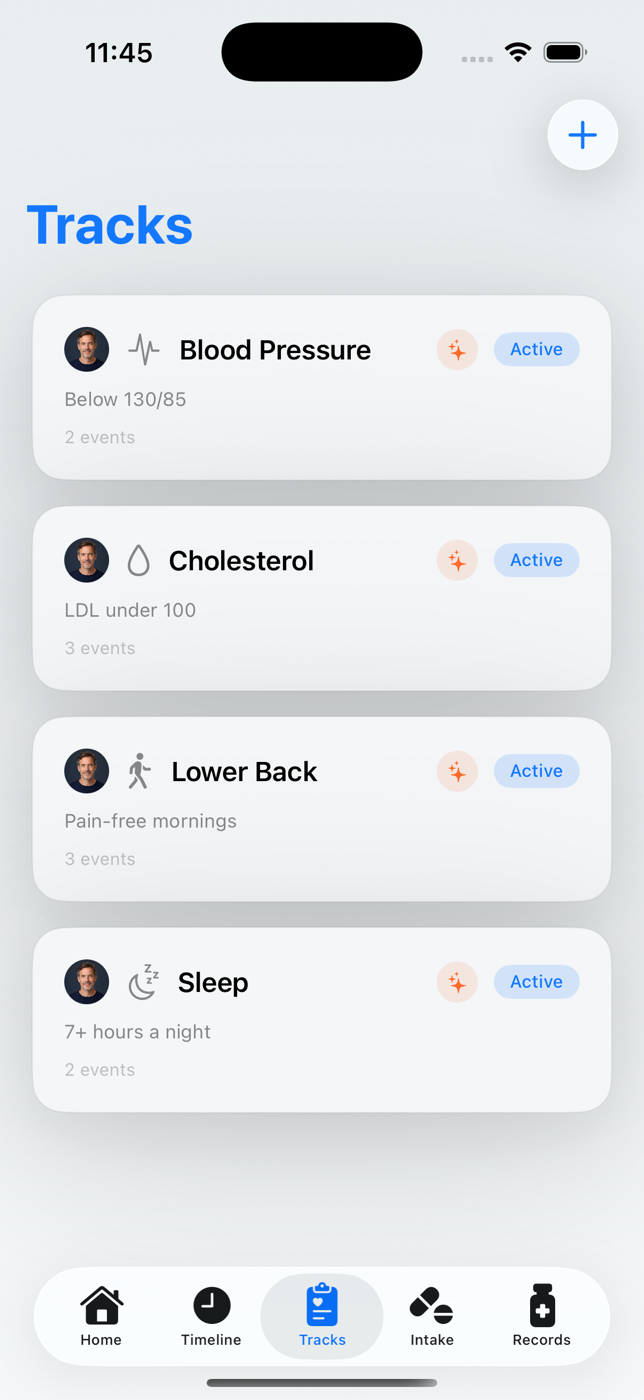
Health tracks
AI can connect changes across symptoms, conditions, recovery, fitness, medicines, and long-term goals within each track.
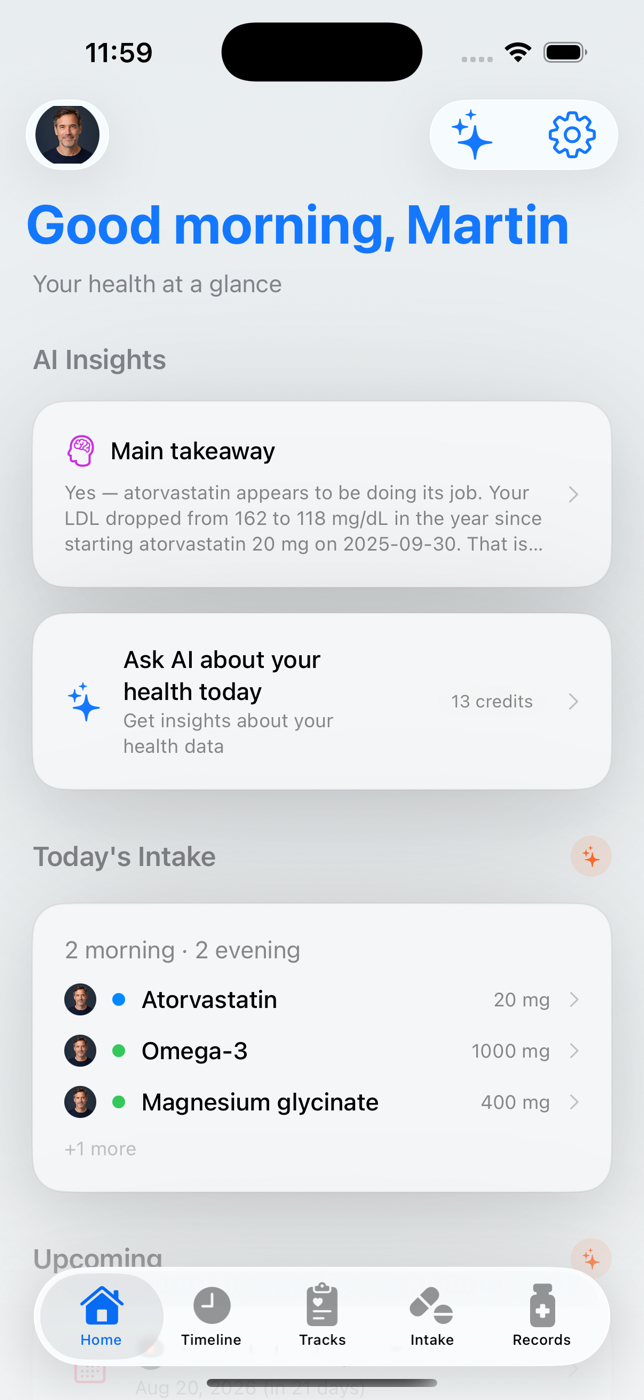
AI insights
Get suggestions based on the timeline, tracks, lab results, recorded problems, medicines, and family conditions stored in the selected profile.
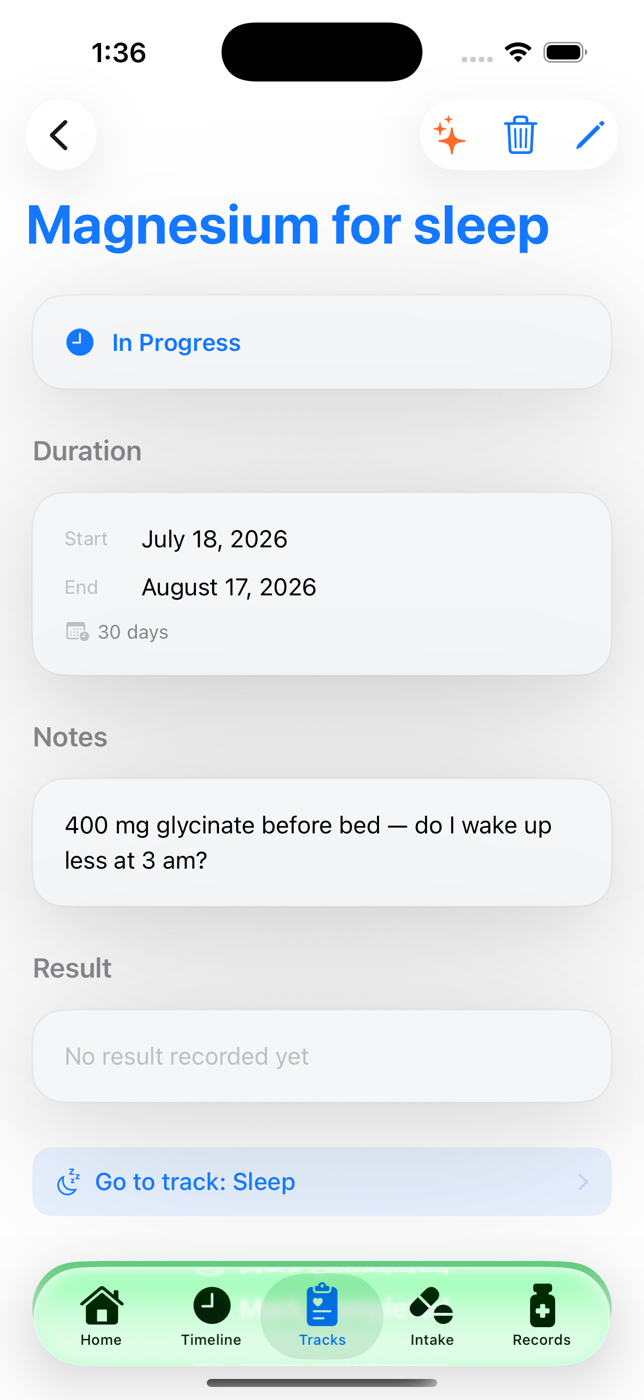
Experiments
Trying magnesium for sleep? A new routine for back pain? Start an experiment, log what happens, and let AI compare before and after across your tracks.
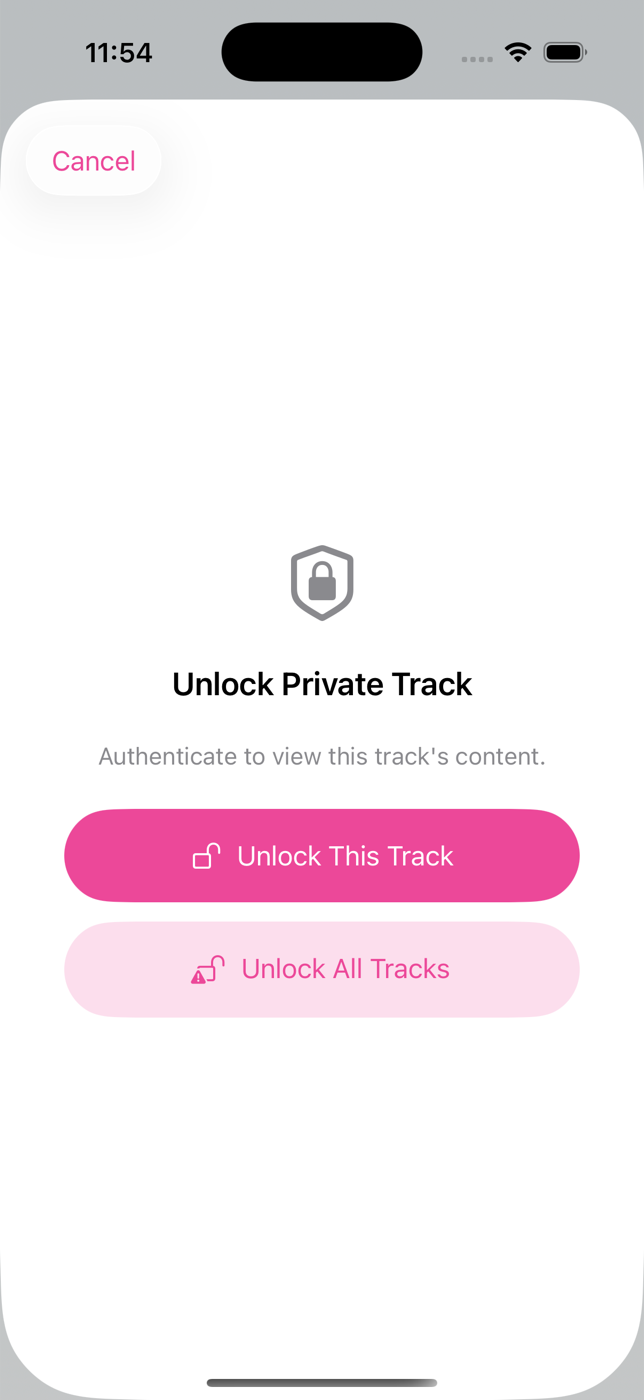
Private by design
Your records live on your device and sync through your own private iCloud. There is no HealthTimeline health-data server — nobody can browse your timeline.
Track everything without creating an account. Signing in is only needed for the AI chat.
Export a doctor-ready PDF of exactly the tracks and time range you pick. Nothing leaves the app unless you share it.
Human care stays central
HealthTimeline can explain, organize, compare, and suggest—but it does not diagnose, prescribe, or replace professional healthcare. Its role is to help you understand your information and communicate it more clearly.
AI responses are informational. HealthTimeline recommends speaking with a qualified doctor about medical decisions and directs you toward timely professional care when a concern should be evaluated.
Good to know
On your iPhone, synced through your own private iCloud. HealthTimeline does not run a server that stores your health records. When you use an AI feature, only the context needed to answer that question is sent — and tracking works fully without an account.
Yes. Each family member gets their own vaccine record with the national schedule for your country (Norway, the US, and more), dose-by-dose tracking, and reminders before the next dose is due. You can also scan a paper vaccine card and let AI turn it into a digital history.
Yes. Export a clean PDF in seconds — a full health summary, one track's history, or a doctor-friendly summary of an AI conversation. You pick the time range and the content, and nothing is shared unless you choose to send it.
The AI can consider information stored in the selected profile, including timeline events, health tracks, lab results, medicines, supplements, recorded problems, routines, and relevant family conditions.
It can propose many kinds of additions based on a conversation, such as symptoms, appointments, medicines, follow-ups, notes, records, and track-related events. You review what should be saved.
No. AI-generated insights are informational, not a diagnosis or treatment plan. HealthTimeline recommends consulting a qualified doctor for medical decisions and professional evaluation.
It can explain individual values, compare results across time, relate changes to the rest of the selected profile, and suggest questions to take to your doctor.
Coming to the App Store
HealthTimeline brings your timeline, labs, vaccines, family profiles, and AI assistant together on iPhone.
 Launching soon on theApp Store